
Trimbox: Easy Email Cleaner
TrimboxProductivity
4.3683.00 Reviews
- Version
- 2.1.182
- Installs
- 500.00K
- Age Rating
- Everyone
Screenshots

Our Review of Trimbox: Easy Email Cleaner
 Analysis by Appyee
I usually notice email overload in the least convenient moments: while searching for one receipt, checking a delivery update, or trying to find a message from a person I actually know. That is where Trimbox: Easy Email Cleaner makes sense. It is a free productivity app from Trimbox built around reducing inbox clutter, removing old messages, and helping me leave mailing lists I no longer want.
After using it, my impression is that Trimbox is less about replacing an email client and more about giving cleanup a dedicated workspace. That distinction matters. I would not open it to write a detailed reply or manage a calendar. I would open it when my inbox has become a storage room full of newsletters, promotions, forgotten notifications, and messages that are technically harmless but make useful mail harder to find.
The app has a 4.3 average from around 8,200 ratings and has passed 500,000 installs, so it is clearly being used by more than a small group of early adopters. It is rated for Everyone, works on Android 7.0 and later, and the current version is 2.1.182. Those details make it accessible to people using older Android phones as well as newer devices, although the quality of the experience still depends heavily on how much email needs sorting and how comfortable you are granting a cleanup tool access to your inbox.
How Trimbox feels in its current form
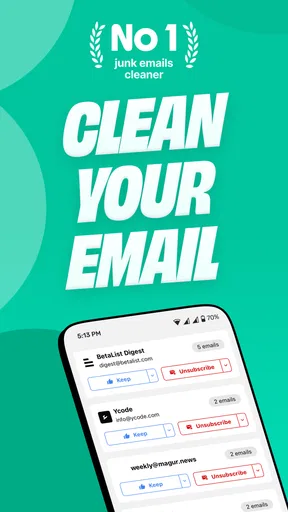
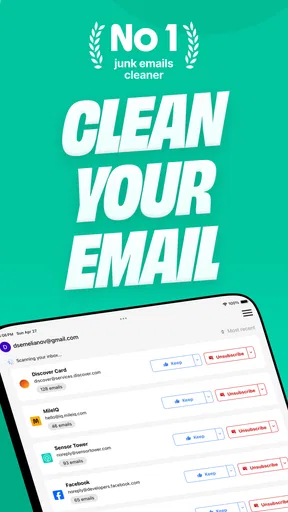
The first useful thing to understand is the app’s focus. Trimbox is aimed at the repetitive work that ordinary email apps often make tedious: spotting bulk senders, selecting unwanted messages, and dealing with subscriptions one by one. In a normal inbox, that work is spread across search, filters, sender pages, and deletion controls. Trimbox puts the cleanup mindset first.
I found that approach helpful because it changes the question from “Which email should I open?” to “Which parts of my inbox are no longer earning their place?” That small shift makes it easier to act. Instead of reading every promotional message, I can treat a group of similar messages as clutter and decide whether to remove it, keep it, or stop receiving it.
The strongest use case is an inbox that is busy rather than genuinely complicated. If most of your unwanted mail comes from stores, mailing lists, recurring alerts, and old promotional campaigns, a focused cleaner can save more effort than manually opening each message. It is especially useful after a period when you signed up for several services, entered competitions, bought from unfamiliar shops, or accepted marketing messages without thinking about the long-term effect.
That does not mean every inbox becomes perfectly organized with one pass. Cleanup still requires judgment. A sender that looks promotional may occasionally send an important account notice. A mailing list may include a useful receipt or service update. I would therefore treat Trimbox as an assistant for decisions, not as a button I press blindly. The app can make the review faster, but I remain responsible for checking what I am removing.
A practical cleanup session
A realistic example is a Sunday evening when I am trying to prepare for the week. My inbox contains delivery notices, discount emails, old newsletters, and several automated reminders. In a traditional mail app, I might search for “unsubscribe,” select a few results, delete them, and then repeat the process for different senders. That works, but it is easy to stop halfway because the task feels endless.
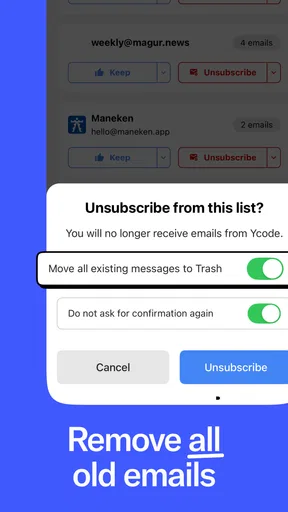
With Trimbox, I would approach the same session in stages. First, I would review the senders or groups that are clearly low value. Next, I would remove old messages that no longer serve a purpose. Finally, I would deal with subscriptions that keep returning. The important habit is to separate deletion from unsubscribing: deleting the current pile does not necessarily prevent the next pile from arriving, while unsubscribing may reduce future maintenance.
That two-part workflow is one of the app’s more useful practical lessons. Many inbox tools are good at clearing visible messages but do little to reduce the source of the clutter. Trimbox’s appeal is that it addresses both the backlog and the incoming stream. I would still keep receipts, travel confirmations, tax-related messages, work correspondence, and account security notices outside any quick cleanup decision.
Where the app saves time
The main time saving comes from reducing context switching. I do not need to open a message, return to the list, find the sender again, and repeat the same decision for every item. A cleaner built around sender and subscription management can make repeated actions feel more deliberate and less exhausting.
There is also a psychological benefit. A large inbox often creates a vague sense of unfinished work, even when many messages are irrelevant. Removing obvious clutter gives the remaining messages more meaning. I found that the app works best when I use it for a short, focused session rather than expecting it to solve every email problem in one sitting.
A useful tip is to begin with the most obvious recurring clutter instead of trying to judge every sender. Promotional campaigns and newsletters are usually easier to classify than personal or work-related threads. Once those are handled, the difficult decisions become more visible. This reduces the risk of making rushed choices simply because the inbox looks overwhelming.
What the current version suggests about the product
The current release, 2.1.182, shows that Trimbox is an established app rather than a first experiment. The product has had time to develop around a clear purpose: making inbox maintenance feel more approachable than the standard tools built into an email provider. I would not read the version number as proof that every edge case has been solved, but it does suggest a product with an ongoing development path.
For existing users, that matters because a cleanup app needs consistency more than flashy presentation. People return to it when their inbox starts drifting back into disorder. The value is therefore measured by whether the workflow remains understandable and dependable over repeated sessions, not just by how impressive the first cleanup feels.
My advice to someone already using the app is to keep a personal rule for sensitive messages. I would never treat a sender-based cleanup as automatically safe just because several messages look alike. Before confirming a large action, I would scan for invoices, renewal notices, medical information, travel details, employment messages, and anything connected to account access. A fast tool is most useful when paired with a slow check at the right moment.
How it compares with ordinary email tools
Most email providers already include search, bulk selection, spam controls, archive functions, and sometimes filters. If you are comfortable building searches and rules, those native tools may be enough. They can also be better for people who need detailed control over folders, labels, forwarding, or long-term message organization.
Trimbox is more appealing when the problem is motivation and repetition. Its dedicated cleaning purpose gives me a clearer starting point than a blank search field. I do not have to remember the exact query that finds old newsletters or manually construct a rule for every type of unwanted message. The trade-off is that a specialized cleaner may not offer the same depth as the email service itself.
I would choose the native email app when I need precise, provider-specific controls or when my inbox contains sensitive professional material that I prefer to manage within the service’s own interface. I would choose Trimbox when I have a large amount of ordinary clutter and want a guided way to make progress. Neither option is universally better; they solve different parts of the same problem.
There is another important comparison with simply creating a new email address. Starting over can feel clean, but it also means updating accounts, recovering old messages, and maintaining two inboxes. Trimbox is the less disruptive option if the existing address is still useful and the main issue is accumulated subscriptions. It will not change years of habits by itself, but it can make the existing inbox manageable again.
Privacy, trust, and the point where I slow down
Any app that helps clean email deserves a more careful trust decision than a simple notes or calculator app. The usefulness depends on seeing enough inbox information to identify messages and senders. That is not automatically a reason to avoid it, but it is a reason to read the app’s access and account prompts carefully before continuing.
I would install it only from the official Android distribution channel, check which account I am connecting, and avoid using a cleanup session when I am distracted. I would also review the confirmation screen before approving deletion or subscription changes. These are not criticisms unique to Trimbox; they are sensible precautions for any tool that operates close to personal communications.
The app’s Everyone content rating makes it approachable for a broad audience, but an age rating does not remove the need for adult judgment about email access. Parents, shared-device users, and people handling company mail should think about whose inbox is being connected and whether a dedicated cleaner fits their situation.
What the free model means in practice
Trimbox is free to download and use, with in-app purchases ranging from $3.99 to $39.99 per item. That makes the initial trial relatively easy: I can see whether the workflow suits me before deciding whether I want to spend money on additional access or capabilities offered inside the app.
Still, I would not assume that every part of a large cleanup is included without checking the purchase screen. A person with a small inbox may be satisfied with the free experience, while someone dealing with years of accumulated mail may encounter a point where paid options become more relevant. The sensible approach is to test the app on a manageable section first and judge the value based on the amount of time it actually saves.
Pricing is also a reason to avoid starting with an urgent, enormous cleanup. If the inbox is already stressful, discovering a paywall in the middle of the process can make the experience feel worse. I would begin with a limited goal, such as identifying unwanted newsletters, then decide whether the app deserves a larger role in my routine.
Remaining gaps and everyday friction
The biggest limitation is that cleanup is not the same as complete email organization. Removing old messages and leaving mailing lists can reduce noise, but it does not automatically create a thoughtful filing system. I would still need my regular email app for labels, folders, replies, attachments, search history, and messages that require a response.
There is also an unavoidable risk of over-cleaning. Subscription messages can be easy to recognize, but automated mail is not always disposable. A bank, airline, school, employer, or online service may send both marketing material and important operational notices from related addresses. If I judge only by appearance, I could remove something I later need.
Another trade-off is that inbox cleanliness requires maintenance. Unsubscribing from existing lists helps, but new subscriptions appear whenever I create an account or accept a marketing option. I would use Trimbox as a periodic reset rather than expecting a permanent solution. A short review every few weeks is more realistic than waiting until the inbox becomes unmanageable again.
People with highly regulated work email, multiple accounts, or complicated retention requirements should be especially cautious. They may be better served by the controls and policies of their organization’s approved email system. Likewise, if your inbox is already small and orderly, a separate cleaner may add another app without offering enough benefit to justify the extra step.
Who should try it, and who should skip it
I would recommend Trimbox to someone whose inbox is dominated by newsletters, promotions, and old messages, especially if manual cleanup has been postponed repeatedly. It is also a good fit for people who prefer a guided cleanup experience rather than learning advanced search operators in their email provider.
It makes less sense for a person who rarely receives unwanted mail, already has effective filters, or needs detailed control over every message. I would also hesitate to recommend it as the first choice for a work account containing confidential conversations unless the organization explicitly permits this kind of tool.
The app is most valuable when the problem is volume and inertia. If the problem is poor filing, missed replies, or a complicated professional workflow, it is only one small piece of the solution. That distinction prevents disappointment: Trimbox can help clear the path to important mail, but it is not a complete replacement for an email client or a personal information system.
What I would watch as the product evolves
For future updates, I would pay attention to how clearly the app explains actions before they happen. Cleanup tools earn trust through transparent grouping, easy review, and recoverable decisions. The more confidently a user can see why a sender was included and what will happen next, the more useful the app becomes for large inboxes.
I would also watch whether the experience continues to balance speed with caution. A single-tap action is convenient for obvious promotions, but sensitive messages need room for inspection. The best direction for Trimbox is not simply more automation; it is smarter automation that knows when to ask for confirmation.
Existing users should notice whether recurring cleanup becomes easier over time and whether the app remains comfortable for occasional users who return after a long break. Those are practical signs of product maturity. A tool like this succeeds when it helps me build a repeatable habit without making me feel that inbox maintenance has become another complicated project.
After trying Trimbox, I see it as a focused productivity companion rather than an all-purpose email replacement. Its free entry point, broad Android compatibility, and clear emphasis on deleting old mail and reducing unwanted subscriptions make it worth considering for a crowded personal inbox. The developer, Trimbox, has chosen a problem most people understand immediately, and the current version feels aimed at making that problem less intimidating.
My recommendation comes with one condition: use it thoughtfully. Start with obvious clutter, separate unsubscribing from deleting, protect important senders, and review every broad action before confirming it. If you want a dedicated way to regain control of a noisy inbox, Trimbox: Easy Email Cleaner is a practical option. If you need advanced email administration, strict workplace controls, or a full filing system, your existing email provider may remain the better tool.
In short, I would keep it in mind for periodic inbox maintenance, not as a permanent substitute for good email habits. The real strength is turning a vague mess into a sequence of manageable decisions. That is enough to make a noticeable difference for the right user, provided convenience never replaces a careful look at what is being removed.
Verdict
Strengths of Trimbox: Easy Email Cleaner
- Quickly identifies newsletters and unwanted senders for review.
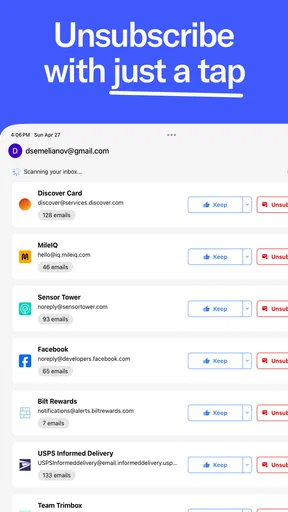
- Swipe-based controls make bulk email cleanup simple.
- Helps reduce inbox clutter without deleting everything at once.
- Useful unsubscribe suggestions for recurring promotional emails.
- Clean interface is easy to understand for first-time users.
Limitations of Trimbox: Easy Email Cleaner
- Some features may require a paid subscription.
- Access to mailbox data may concern privacy-conscious users.
- Automatic suggestions should be checked before confirming deletions.
- Large inboxes can take time to scan and categorize.
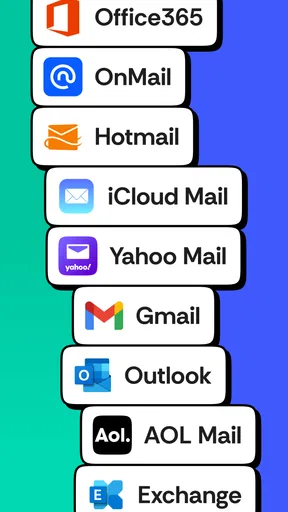
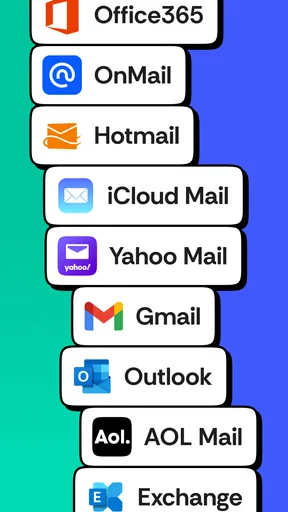
- Results depend on the email provider and account permissions.
Similar Picks in This Category
View All
Google Calendar
Google LLC4.6

Google Drive
Google LLC4.3

Google Assistant
Google LLC3.9

Microsoft OneDrive
Microsoft Corporation4.6

Samsung Calendar
Samsung Electronics Co., Ltd.4.1

Microsoft OneNote: Save Notes
Microsoft Corporation4.6
Frequently Asked Questions
What is Trimbox: Easy Email Cleaner used for?
Trimbox: Easy Email Cleaner is designed to help you organize and reduce clutter in your email inbox. It can identify unwanted newsletters, promotional messages, and other recurring emails, making it easier to review, unsubscribe, delete, or archive them. The app is especially useful for users whose inbox has become difficult to manage because of years of accumulated subscriptions and marketing messages.
How does Trimbox find unwanted emails and subscriptions?
Trimbox generally analyzes the messages and senders in your connected mailbox to identify mailing lists, newsletters, and promotional content. It groups related emails so you can review them more efficiently instead of opening messages one by one. Before taking action, it is important to check the selected items carefully, since some messages that appear promotional may still contain information, receipts, account alerts, or subscriptions you want to keep.
Is Trimbox: Easy Email Cleaner safe to use with my email account?
As with any email-management application, you should review the permissions and privacy policy before connecting your account. The app requires access to relevant mailbox data in order to scan messages and help manage subscriptions. Use the official Android or iOS download source, avoid entering credentials into unofficial pages, and confirm what information is collected, stored, or shared. If you handle sensitive business or personal email, consider these permissions carefully.
Can Trimbox delete emails or unsubscribe me automatically?
Trimbox is intended to simplify actions such as unsubscribing from unwanted mailing lists and removing unnecessary messages, but the exact options may depend on the platform, account type, and current app version. Users should not assume that every action is fully reversible. Review the confirmation screens before proceeding, and check your trash, archive, and subscription settings afterward. Keeping important emails backed up is also recommended before performing a large cleanup.
Is Trimbox: Easy Email Cleaner free, and are there any limitations?
The availability of free features, usage limits, and premium tools may vary between Android and iOS and can change with future updates. Some functions may require a subscription or in-app purchase, particularly advanced cleanup, larger scanning limits, or expanded account support. Check the app’s current store listing for pricing, trial conditions, renewal details, and cancellation instructions before downloading or starting a trial.
